
Operations
From “it’s leaking” to closed — with photos, approvals and deadlines
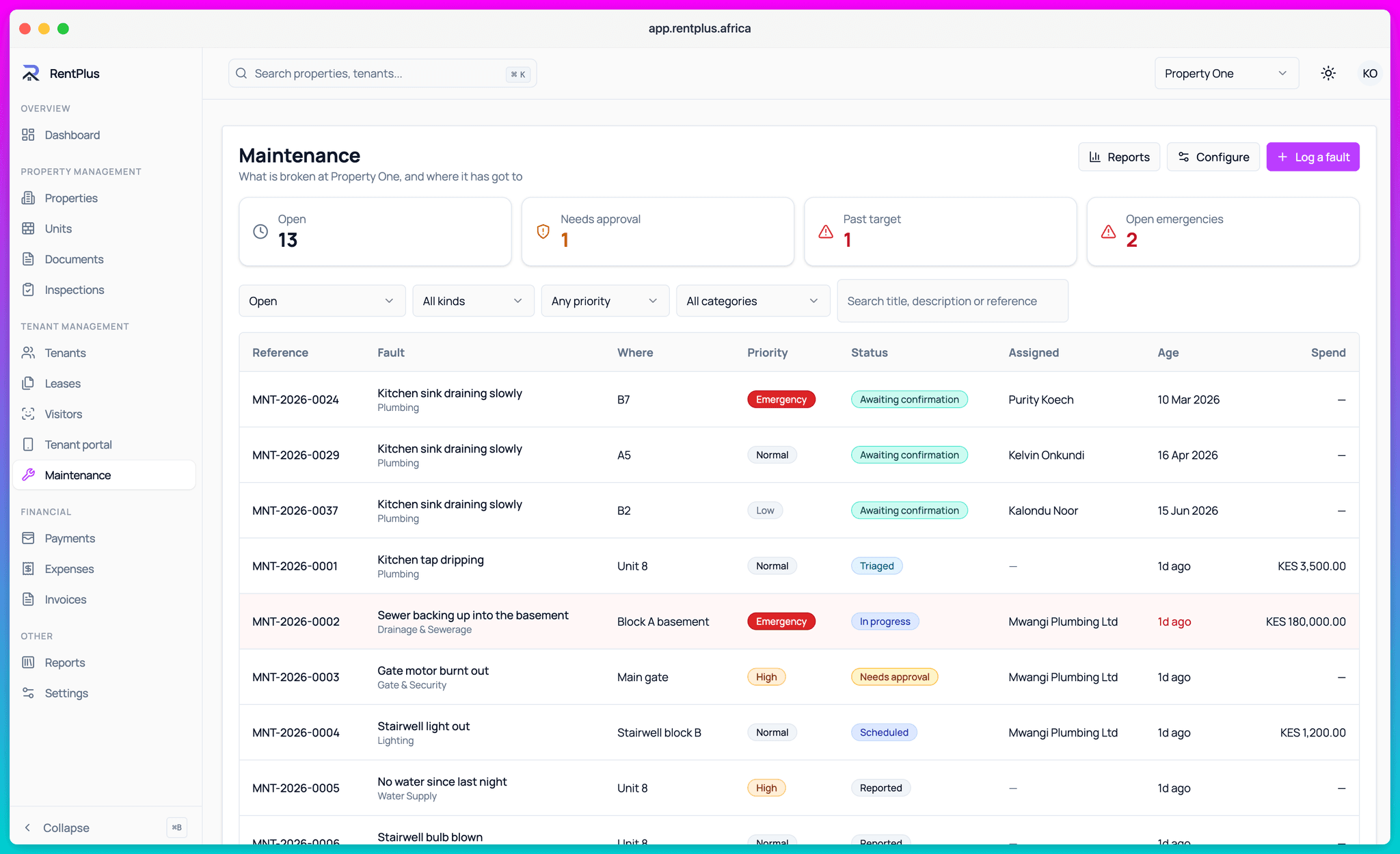
Tenants report faults with photos from their app or a simple link. You triage, estimate, approve and schedule. SLA timers keep everyone honest, and costs land in the books automatically.
How it works
From zero to running
- 1
The tenant reports
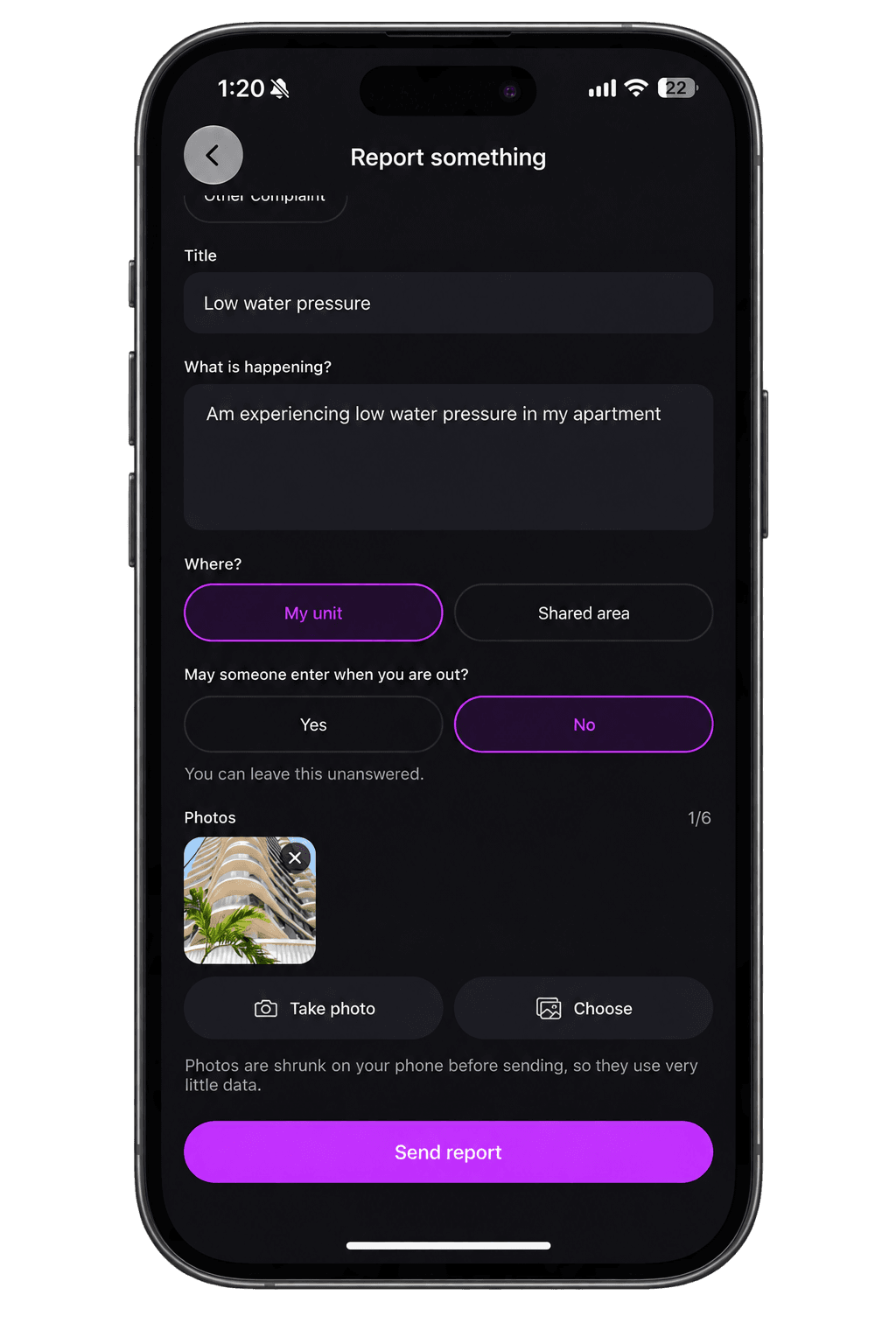
From the app or a tokenised link that fits in one SMS — no login needed. Category, description, photos of the problem.
- 2
You triage
Set urgency, estimate the cost, decide who pays. Jobs above your threshold wait for approval; emergencies can bypass it — visibly.
- 3
Work gets scheduled
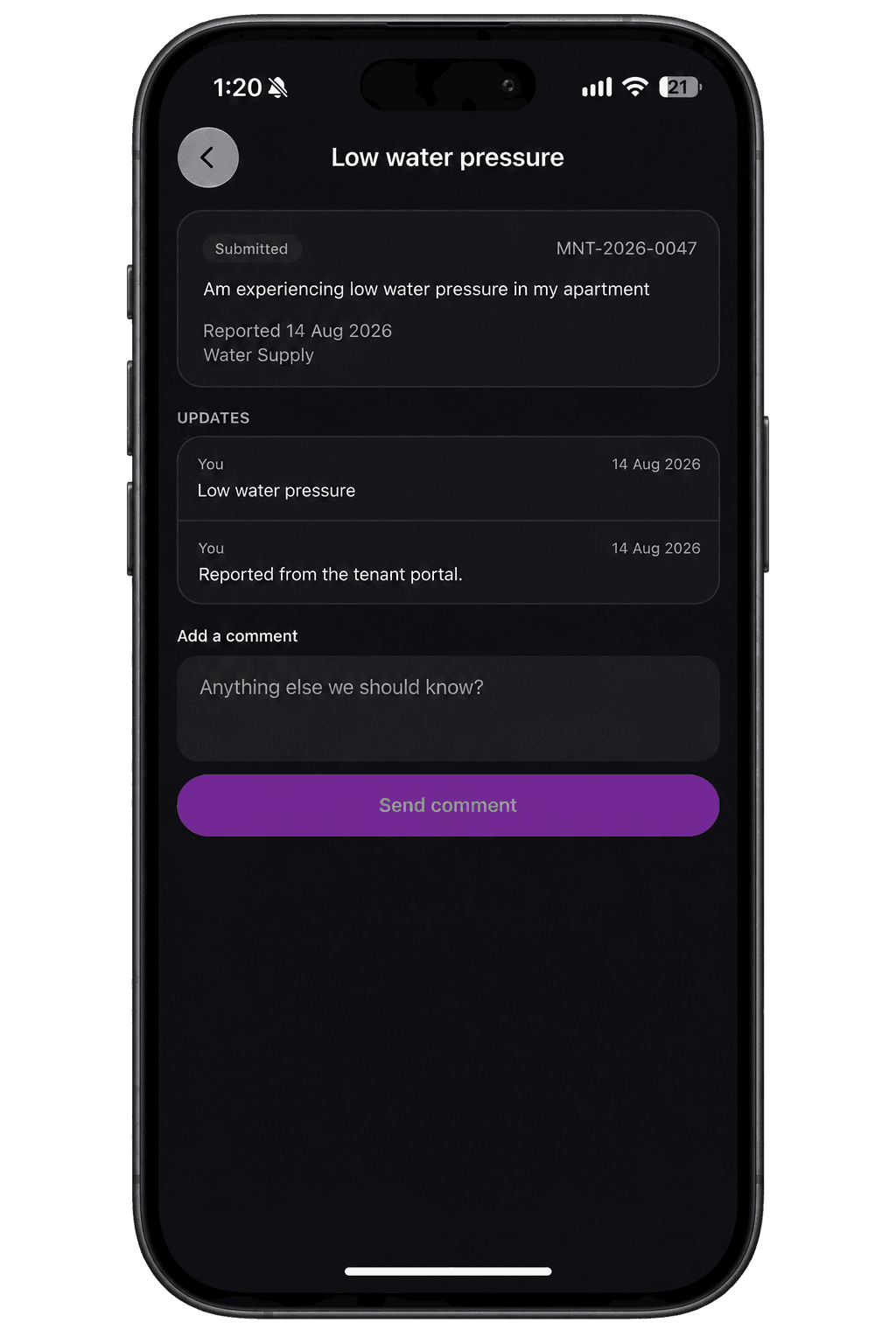
Assign it, set the date, keep the tenant informed automatically. Every update lands on an append-only timeline.
- 4
The job closes with evidence
Completion photos, the tenant’s confirmation, the linked expense. Liability recorded. Done means documented.
SLAs that surface the truth
Every request carries a service-level timer from report to resolution. The reports show what’s aging, which categories blow their targets, and which units keep faulting — the difference between managing maintenance and just receiving it.
- SLA targets per category and urgency
- Open-by-age and SLA compliance reports
- Repeat-fault detection per unit
- Cost reports linked to expenses
Approvals with an emergency escape hatch
Big jobs wait for sign-off. But a burst pipe at 2 a.m. cannot wait for a committee — so emergencies can bypass approval, and the bypass itself is recorded on the audit trail. Speed when it matters, accountability always.
- Approval thresholds you configure
- Emergency bypass, visibly logged
- Every action on an append-only timeline
Everything included
What Maintenance covers
- Fault reporting from the tenant app or an SMS link
- Photo evidence at report, during work and at completion
- Triage with urgency, estimates and liability
- Approval workflows with emergency bypass
- Scheduling and assignment
- SLA timers and compliance reports
- Repeat-fault and cost analysis
- Expenses linked to jobs
- Tenant confirmation on completion
Questions
Common questions
Do tenants need the app to report a problem?
How do I stop maintenance requests from being forgotten?
Who pays for a repair — me or the tenant?
Ready to run your properties properly?
Start free, set up in an afternoon, and let the invoices send themselves.