
Portfolio
Your whole portfolio, structured the way it actually is
Properties contain units, units hold leases, leases carry tenants and money. RentPlus mirrors that structure, so every question — “is A4 occupied?”, “what does Riverside earn?” — has one obvious answer.
How it works
From zero to running
- 1
Create a property
Name it, set its location and billing preferences. Each property keeps its own settings, documents and wallet, so one workspace can hold very different buildings.
- 2
Add its units
Bedsitters to penthouses — every unit gets a name, a type and a rent. Activate and deactivate units as they come on and off the market.
- 3
Attach documents
Title documents, compliance certificates, lease templates. Mark a template to apply automatically to every new lease in the property.
- 4
Watch it run
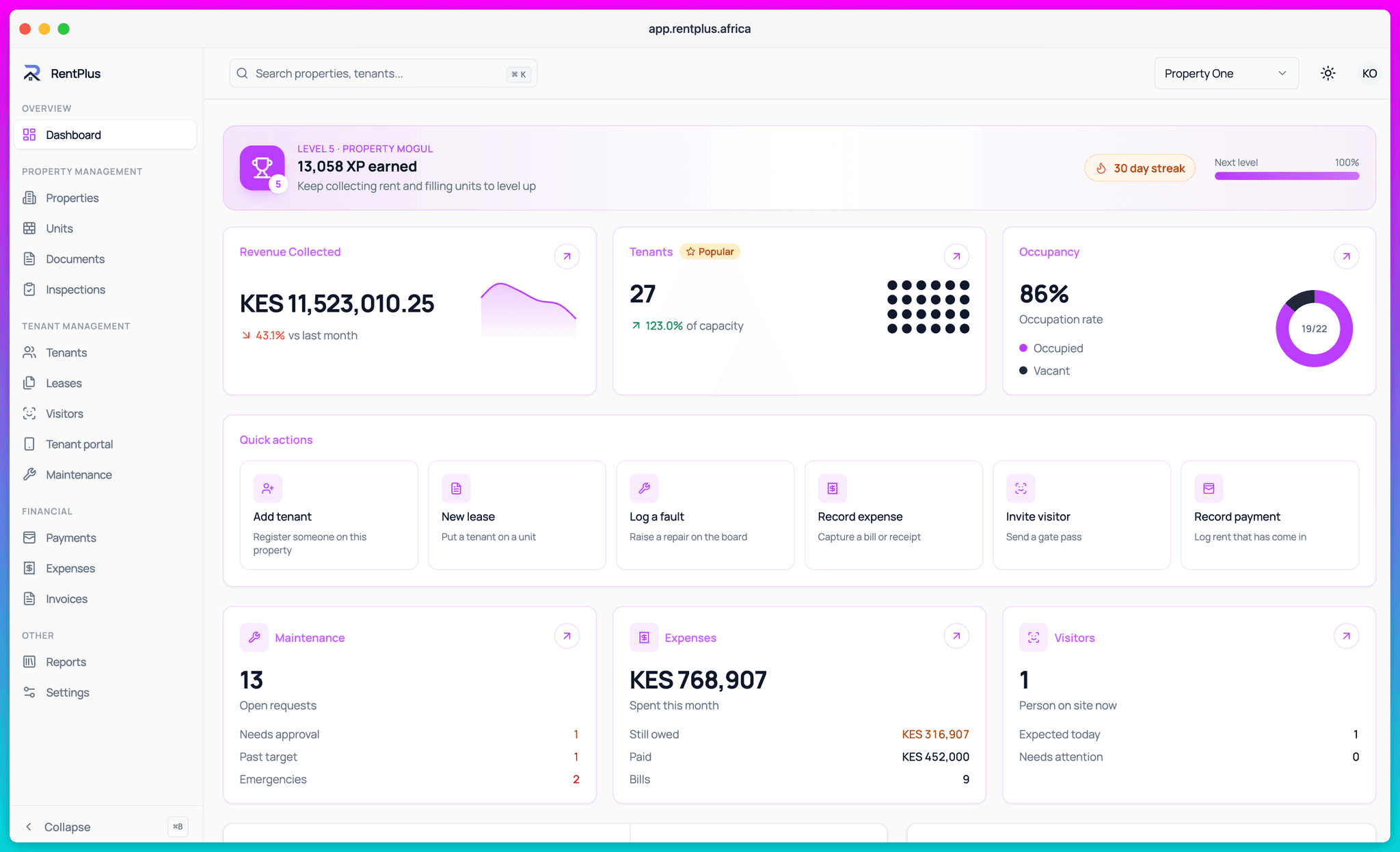
The dashboard rolls everything up: revenue collected, occupancy, open maintenance and who is on site — per property or across the portfolio.
Per-property settings that respect reality
A serviced apartment block in Kilimani and a row of bedsitters in Ruiru do not run the same way. RentPlus keeps billing rules, maintenance categories, visitor rules and templates per property, so each building behaves the way it actually operates.
- Property-level billing configuration and invoice numbering
- Per-property maintenance and inspection settings
- Lease document templates that auto-apply to new leases
- A wallet per property, so money stays attributable
Occupancy you can see, vacancy you can act on
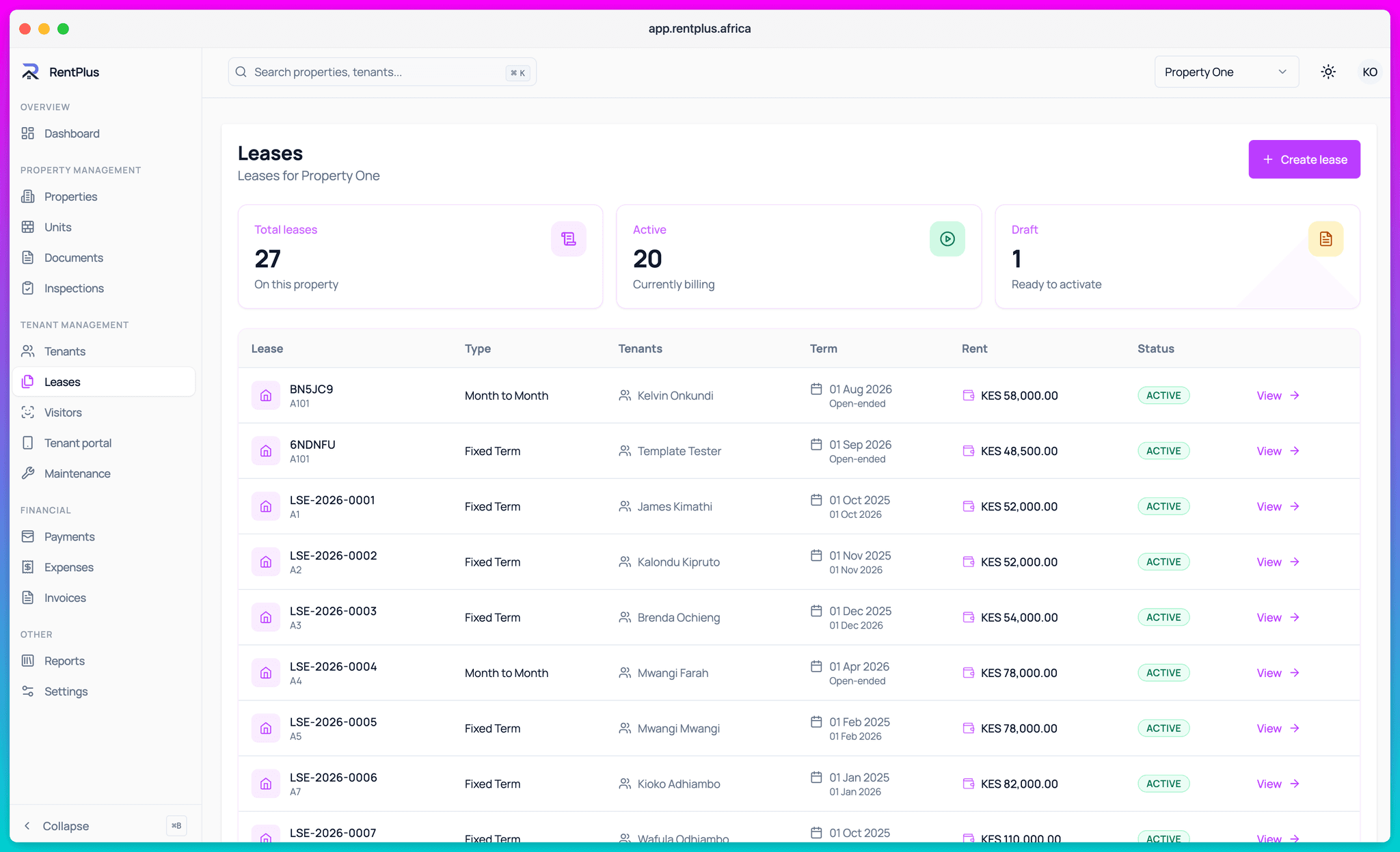
Every unit shows its state at a glance — occupied, vacant, deactivated — and rolls up into occupancy rates per property. Vacant units stop being invisible losses and become a list you can work through.
- Live occupancy percentages per property
- Unit-level revenue history
- Deactivate units under renovation so reports stay honest
Properties / units list screen
public/images/properties.png · 3480×2120
Everything included
What Properties & Units covers
- Unlimited properties and units per workspace
- Unit activation and deactivation
- Property document storage
- Lease templates with auto-apply to new leases
- Per-property billing, maintenance and visitor settings
- Property wallets with transaction history
- Occupancy and revenue statistics per property
- Portfolio-wide dashboard rollup
Questions
Common questions
How many properties can I manage in RentPlus?
Can different properties have different rules?
Can I track a unit that is under renovation?
Ready to run your properties properly?
Start free, set up in an afternoon, and let the invoices send themselves.